
Invideo AI Review: Features, Pricing & More

Original price was: $56.$20Current price is: $20.
|
InVideo is a user-friendly online platform for creating professional-quality videos. It offers customizable templates, AI tools, and a vast media library, making it suitable for various users, from businesses to educators, looking to create engaging content effortlessly.
Invideo AI Review: Complete Overview
InVideo AI is an advanced video creation platform aimed at simplifying the video production process for users of all skill levels. It allows you to generate videos by simply typing a topic, automatically producing a complete video with script, visuals, subtitles, voiceover, and music. The platform supports easy text-based editing and offers multilingual capabilities, making it accessible to a global audience.
InVideo AI also features a user-friendly interface with intuitive tools for customizing videos, ensuring that everyone can create engaging content quickly and efficiently. With its comprehensive solutions, InVideo AI empowers marketers and content creators to effectively tell their stories through video.
Invideo AI Features
AI Video Generator
The AI Video Generator allows users to create videos simply by entering text. When you type in your topic, the AI generates a complete video that includes a script, visuals, subtitles, background music, and transitions. This feature streamlines video production, making it accessible even to those with no prior experience. Once the initial video is generated, users can easily make edits using an intuitive editing interface.
AI Video Editor
With the AI Video Editor, you can easily create and edit videos using simple text commands. Just think of a topic, and the tool will generate a complete script, create scenes, and add voiceovers, enabling you to make polished videos in minutes.

Faceless Video Generator
This feature enables users to create videos without needing to appear on camera. By inputting text prompts, users can generate faceless videos that include scripts, scenes, voiceovers, and subtitles. This is particularly useful for content creators who prefer not to show their faces or those who want to save on equipment costs.
Text to Video
The Text to Video feature converts written ideas directly into videos. By entering a simple text prompt, the AI produces videos suitable for platforms like YouTube, Instagram, and TikTok. This includes stock footage, voiceovers, background music, and transitions. It’s a fast and efficient way to create engaging content without extensive video production skills.
YouTube Shorts Generator
With the YouTube Shorts Generator, users can quickly create short-form videos for YouTube. This tool works similarly to the other generators, allowing users to enter text prompts, which the AI then transforms into short videos complete with scripts, scenes, voiceovers, and subtitles. This feature is perfect for creators looking to produce content tailored for YouTube’s short video format.

AI Subtitle Generator
The AI Subtitle Generator automatically creates subtitles for videos in over 50 languages. This feature is particularly beneficial for making videos accessible to a broader audience. You can add subtitles that match voiceovers, enhancing viewer engagement and comprehension. The tool also offers various subtitle styles and fonts, allowing for customization.
Slideshow Maker
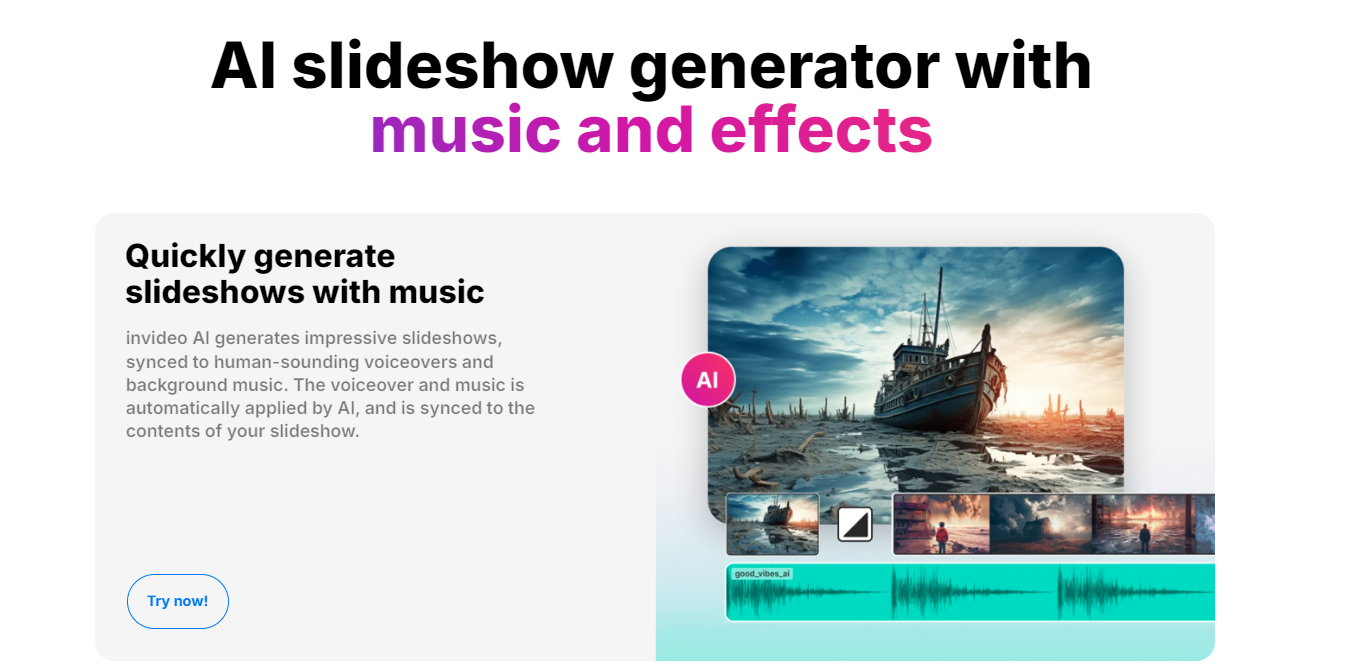
The Slideshow Maker allows users to create engaging slideshow videos by entering a prompt. The AI generates a script, finds appropriate footage, and adds text and background music. Users can choose to include their own images or select from an extensive library of stock media. This tool is ideal for making photo slideshows, presentations, or promotional videos.
YouTube Video Editor
The YouTube Video Editor simplifies the video creation process for YouTube content. With just a single prompt, users can generate complete videos, including scripts, subtitles, and voiceovers, all in under five minutes. This tool is designed to help users monetize their channels by making it easier to produce regular video content across various topics.
News Generator
The News Generator feature enables users to turn news articles into professional-quality videos. By pasting the URL of an article into the prompt box, the AI generates a video that includes stock footage, music, transitions, and subtitles. This tool is particularly useful for creating faceless news reports without the need for original footage, as it relies on a large library of stock media.
AI Voiceover Generator
The AI Voiceover Generator provides realistic voiceovers for videos. Users can convert their text prompts into male or female narrations, adding depth and engagement to their content. This feature is ideal for creating voiceovers for various platforms, including YouTube and TikTok. It supports different accents and styles, making it versatile for various projects.
AI Script Generator
The AI Script Generator assists users in writing scripts for their videos. It creates well-structured scripts with strong hooks and calls to action, streamlining the video creation process. This feature allows users to focus more on brainstorming and less on scripting, enabling faster production of unique and engaging content.
Pricing
Invideo AI Pricing Plans

User Reviews
Be the first to review “Invideo AI Review: Features, Pricing & More”
You must be logged in to post a review.

Original price was: $56.$20Current price is: $20.



There are no reviews yet.