
 Rit Sanchita
 In the dynamic world of customer relationship management (CRM) software, finding the right platform can be a game-changer for businesses. The choice between Capsule CRM and HubSpot CRM could significantly impact your organization’s ability to stay organized, nurture customer relationships, and capitalize on sales opportunities. Both platforms are designed to simplify CRM, but they each come with their unique features and strengths. In this comprehensive comparison of Hubspot CRM vs. Capsule CRM, we’ll delve into their features, pricing, and much more to help you determine which one aligns best with your business goals.
Capsule CRM and HubSpot CRM cater to diverse business needs and preferences, making this comparison a valuable resource for businesses of all sizes. Whether you’re a startup, a small business, or a mid-sized enterprise, the insights from this comparison will guide you toward the CRM solution that suits your requirements. Let’s explore the capabilities, pricing, and more to find out which platform will empower your business’s customer-centric approach and drive growth.
A Comprehensive Comparison: Hubspot CRM vs. Capsule CRM – Finding Your Ideal Platform
Hubspot CRM vs. Capsule CRM: User Interface And Ease Of Use Evaluation

Navigating a CRM system should be intuitive and efficient. In this section, we’ll delve into the user interface and ease of use of both Capsule CRM and HubSpot CRM. Discover how these platforms make managing customer relationships and sales processes a breeze.
Hubspot CRM: User Interface And Ease Of Use
HubSpot CRM boasts a user-friendly and intuitive interface. It’s designed with a focus on simplicity, ensuring that users can quickly adapt to the platform. The clean, modern design and well-organized layout make navigation a breeze. HubSpot CRM’s dashboard provides an at-a-glance view of key sales and marketing metrics. The platform offers a guided onboarding process that helps new users get up to speed rapidly, reducing the learning curve typically associated with adopting new software. The result is a user interface that caters to both novices and experienced CRM users, making it a versatile choice.
Capsule CRM: User Interface And Ease Of Use
Capsule CRM also prioritizes user-friendliness. It’s built to streamline complex CRM processes and presents a clean and organized interface. Users appreciate the simplicity of the dashboard, which provides quick access to essential tools without overwhelming clutter. Capsule CRM’s customizable dashboards are a notable feature. They allow users to tailor their workspace to match their specific needs and preferences. This adaptability ensures that teams can work efficiently without unnecessary distractions.
Hubspot CRM vs. Capsule CRM: Exploring Comprehensive Features And Functionality
Every business has unique requirements, and the right CRM should cater to them all. We’ll examine the features and functionality offered by Capsule CRM and HubSpot CRM, providing insights into how they empower your sales, marketing, and customer service efforts.
Features Of HubSpot CRM:
- Contact Management: HubSpot CRM offers robust contact management capabilities, allowing you to store and organize contact information efficiently. You can easily track and segment your contacts based on various criteria.
- Email Marketing: With HubSpot CRM, you can create, send, and track email campaigns. It provides features like email templates and scheduling, making your email marketing efforts more effective.
- Lead Scoring: HubSpot’s lead scoring system helps you prioritize and focus on leads that are more likely to convert. The platform assigns scores to leads based on their behavior and interactions.
- Sales Automation: You can automate various sales processes in HubSpot CRM. This includes lead assignments, follow-up emails, and notifications when leads take specific actions.
- 360-degree Contact Information: HubSpot CRM provides a holistic view of your contacts, helping you understand their interactions with your business. This comprehensive view enhances your ability to tailor interactions effectively.
- Web Pop-ups: You can create and customize web pop-ups to capture leads and engage website visitors effectively.
- Email Newsletters: HubSpot allows you to create and send email newsletters to keep your audience informed and engaged.
- Personalized Campaigns: The platform supports personalized campaigns, helping you deliver targeted content to your contacts.

Features Of Capsule CRM:
- Contact Management: Capsule CRM offers comprehensive contact management tools, enabling you to maintain and track information about your customers and companies.
- Document Storage: You can store and access important documents within Capsule CRM, streamlining your workflow.
- Pipeline and Sales Management: Capsule CRM provides an organized way to manage your sales pipeline. You can create multiple pipelines, customize stages, and set up automation rules.
- Lead Scoring: The platform includes lead scoring capabilities, helping you identify the most promising leads and focus your efforts effectively.
- Automation Tools: Capsule CRM’s automation tools reduce manual tasks and help streamline your sales and marketing processes. You can automate follow-up emails, lead assignments, and more.
- Helpdesk Software: Capsule CRM stands out with its integrated helpdesk software and ticketing system, enabling you to provide top-notch customer support.
- Email Tracking: You can track email interactions with Capsule CRM, allowing you to know when your emails are opened and read.
- Multichannel Campaigns: Capsule CRM supports multichannel campaigns, so you can engage your audience through various communication channels.
- AI Content Assistant: Capsule CRM offers an AI Content Assistant, which helps you write emails quickly and effectively, saving time and effort.

These are the key features of both HubSpot CRM and Capsule CRM, and they play crucial roles in the overall capabilities and functionalities of these CRM platforms. Businesses can choose the one that aligns with their specific needs and preferences, ensuring efficient customer relationship management and sales processes.
Hubspot CRM vs. Capsule CRM: Sales And Pipeline Management Comparison
Effective sales and pipeline business management can be a game-changer for your business. We’ll compare the sales and pipeline management capabilities of Capsule CRM and HubSpot CRM, helping you choose the platform that aligns with your sales objectives.
Hubspot CRM: Sales And Pipeline Management
HubSpot CRM provides tools for efficient sales and pipeline management. Users can create custom deal stages, track deals in real time, and receive notifications when prospects engage with their emails or visit their websites. A key feature is the sales dashboard which offers a complete overview of your opportunities, helping you stay on top of your sales pipeline. Additionally, HubSpot CRM offers robust sales analytics and reporting capabilities, allowing you to monitor various aspects of your sales cycle and gain valuable insights.
Capsule CRM: Sales And Pipeline Management
Capsule CRM also excels in sales and pipeline management. The platform enables users to create multiple pipelines, customize stages, and set up automation rules to streamline the sales process. Capsule CRM’s comprehensive sales analytics tools provide insight into your key performance metrics. This visibility into the sales pipeline ensures that you can adapt and refine your sales strategies to drive better results.

Hubspot CRM vs. Capsule CRM: Analyzing Pricing Plans And Features
A thorough analysis of pricing plans and features is vital to make an informed decision. Get an in-depth understanding of the costs and capabilities of Capsule CRM and HubSpot CRM, ensuring you select the CRM that fits your budget and business needs.
Hubspot CRM Pricing Plans:
HubSpot CRM Pricing Plans: HubSpot CRM offers a range of pricing plans to accommodate businesses of all sizes, from startups to enterprises. Here’s an overview of the pricing plans and their key features:
- Free Tools ($0): HubSpot’s Free Tools plan is perfect for businesses looking to start their CRM journey without any cost. It provides access to a wide array of tools spanning marketing, sales, service, CMS, operations, and commerce. Users can benefit from free marketing, sales, service, content management systems (CMS), operations, and commerce tools to get their CRM initiatives off the ground.
- Starter ($216/yr): Ideal for small businesses and startups, the Starter plan includes Marketing Hub Starter, supporting up to 1,000 marketing contacts. It also features Sales Hub Starter with functionality for two paid users, Service Hub Starter for two paid users, and access to CMS Hub Starter, Operations Hub Starter, and Commerce Hub.
- Professional ($19,201/yr): For businesses aiming to expand their CRM capabilities, the Professional plan is priced at $19,201 per year. It encompasses the CRM Suite Starter and provides Marketing Hub Professional with support for 2,000 marketing contacts. Additionally, it includes Sales Hub Professional, accommodating five paid users, and Service Hub Professional, also with support for five paid users. Users can leverage advanced features across the board, such as CMS Hub Professional, Operations Hub Professional, and Commerce Hub.

- Enterprise ($60,000/yr): Tailored for larger organizations with extensive CRM requirements, the Enterprise plan includes everything from the CRM Suite Professional. It offers Marketing Hub Enterprise, supporting 10,000 marketing contacts. Furthermore, it comprises Sales Hub Enterprise for 10 paid users and Service Hub Enterprise for an additional 10 paid users. Users can access advanced capabilities within CMS Hub Enterprise, Operations Hub Enterprise, and Commerce Hub for a comprehensive CRM solution.

HubSpot CRM’s pricing plans are designed to provide flexibility, ensuring that businesses can select the plan that aligns with their specific needs and growth objectives. Whether you’re a small startup or a large enterprise, HubSpot CRM offers a scalable solution.
Capsule CRM Pricing Plans:
Capsule CRM Pricing Plans: Capsule CRM offers a range of pricing plans designed to cater to businesses of various sizes. Here’s an overview of the pricing plans and the features they provide:
- Starter: $18/user/month (Billed Annually): The Starter plan is an excellent choice for those looking to get started with Capsule CRM. This plan includes all the features available in the Free plan, plus added benefits. You’ll have the capacity to manage up to 30,000 contacts, access a single sales pipeline, utilize a project board, employ 50 custom fields for data organization, utilize five email templates, share a mailbox, take advantage of 10 AI content assists, and have access to activity reporting. The Starter plan is a solid foundation for those beginning their CRM journey.
- Growth: $36/user/month (Billed Annually): The Growth plan builds upon the Starter plan by offering enhanced features. It includes all the features from the Starter plan and more. With the Growth plan, you can manage up to 60,000 contacts, work with five sales pipelines, have access to five project boards, employ 150 custom fields, utilize 50 email templates, access three shared mailboxes, make use of 1,000 AI content assists, and benefit from important fields, workflow automation, custom activity types, advanced sales reporting, and user roles & permissions. This plan is suitable for growing businesses.
- Advanced: $54/user/month (Billed Annually): The Advanced plan is designed for businesses with more extensive requirements. It encompasses all the features from the Growth plan, adding even more capacity. You’ll be able to manage up to 120,000 contacts, work with 50 sales pipelines, access 50 project boards, utilize 300 custom fields, employ 500 email templates, access five shared mailboxes, and benefit from 1,000 AI content assists. The Advanced plan is suitable for businesses looking for a robust CRM solution.
- Ultimate: $72/user/month (Billed Annually): The Ultimate plan offers the most comprehensive set of features and capacities for your CRM needs. It includes all the features from the Advanced plan, offering extensive capabilities. You can manage up to 120,000 contacts, employ 50 sales pipelines, have access to 50 project boards, utilize 300 custom fields, employ 500 email templates, access five shared mailboxes, and utilize 1,000 AI content assists. The Ultimate plan is ideal for businesses with advanced CRM requirements.

Capsule CRM’s pricing plans are tailored to accommodate businesses of varying sizes, ensuring that you can choose the plan that best suits your specific needs and objectives. Whether you’re a startup or a larger enterprise, Capsule CRM provides scalable solutions to help you manage your customer relationships effectively.
Hubspot CRM vs. Capsule CRM: Scalability For Business Growth
As your business expands, your CRM should grow with you. Explore the scalability of Capsule CRM and HubSpot CRM, and learn how these platforms can accommodate your evolving needs and drive your business growth.
Scalability With Hubspot CRM:
HubSpot CRM offers a scalable solution designed to support businesses of all sizes. Whether you’re a small startup or a large enterprise, HubSpot’s flexible infrastructure can adapt to your needs. It enables you to seamlessly accommodate an increasing number of users, contacts, and data without compromising performance. As your business expands, HubSpot CRM provides a smooth and efficient transition, ensuring you can continue to manage customer relationships and sales activities effectively.
Scalability With Capsule CRM:
Capsule CRM is built to be highly scalable, making it an ideal choice for businesses looking to grow. It offers the ability to expand your operations by adding more users, contacts, and data as your business evolves. The system can easily handle increased workloads and larger customer databases, ensuring that your CRM solution remains robust and efficient. With Capsule CRM, scalability is not a concern, allowing you to focus on your business’s growth and success.
Hubspot CRM vs. Capsule CRM: Ensuring Security And Data Privacy
In the digital landscape of modern business, safeguarding sensitive data is a top priority. In this comparison, we’ll explore how both Capsule CRM and HubSpot CRM take proactive measures to ensure the security and data privacy of your CRM information. From encryption protocols to access controls, these platforms are committed to keeping your data safe from unauthorized access and potential threats.
Security Measures With Hubspot CRM:
HubSpot CRM maintains robust security practices, prioritizing the protection of your valuable data. They employ state-of-the-art encryption techniques to secure your information. This encryption renders your data unreadable to unauthorized users, providing a strong defense against potential threats.
Access controls are strictly enforced to prevent unauthorized entry. Only authorized personnel can access specific areas of the CRM, and user permissions are tailored to match organizational roles, limiting access to sensitive data.
Proactive monitoring systems continuously scan for potential breaches, allowing for rapid identification and response to suspicious activities. Regular data backups ensure data integrity and availability, even in the face of unexpected events.
Security Measures With Capsule CRM:
Capsule CRM also places a high premium on data security. They utilize encryption protocols to protect sensitive information, ensuring data privacy. Access restrictions maintain confidentiality and data integrity, with access granted only to authorized users based on their roles.
Proactive monitoring systems actively scan for unusual activities, enabling quick detection and response to potential threats. Scheduled data backups provide peace of mind, assuring data integrity and availability in case of unforeseen circumstances. Capsule CRM’s security measures are designed to safeguard your data effectively.
Hubspot CRM vs. Capsule CRM: Real User Insights And Ratings
When it comes to choosing the right CRM platform for your business, there’s no better guide than the experiences of real users. Let’s delve into what users have to say about both Capsule CRM and HubSpot CRM.
HubSpot CRM Ratings:
HubSpot CRM has earned the trust and appreciation of countless users. With an average rating of 4.4 on G2 and 4.5 on Capterra, it’s evident that users find it highly effective and user-friendly. This speaks to its popularity and widespread adoption in the business community. Users often praise HubSpot CRM’s user interface, ease of use, and seamless integration with other HubSpot tools.

Capsule CRM Ratings:
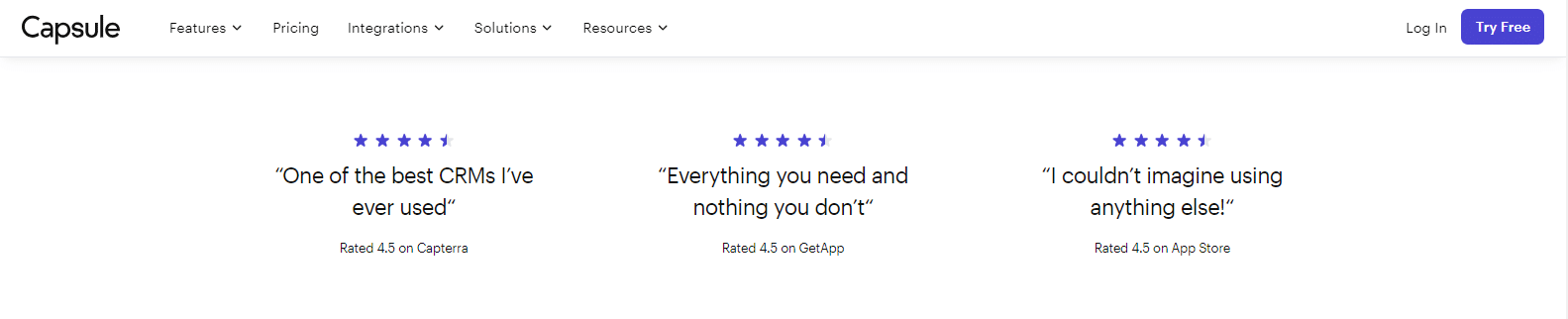
Capsule CRM boasts a strong reputation among its users, with impressive ratings across various platforms. It maintains a solid 4.5 rating on G2 and Capterra, as well as a remarkable 9.1/10 on TrustRadius. This signifies that users have found Capsule CRM to be an outstanding choice for their customer relationship management needs. They appreciate its simplicity and its focus on core CRM functions.
Hubspot CRM vs. Capsule CRM: Tailoring Solutions To Your Industry
Your business is unique, and your CRM solution should reflect that. Both Capsule CRM and HubSpot CRM understand the importance of industry-specific features.
Industry-Specific Features In HubSpot CRM:
HubSpot CRM offers industry-specific features designed to meet the needs of various sectors. Whether you’re in the computer software industry, manufacturing, retail, banking, healthcare, consulting, or another field, HubSpot CRM provides tools and functionalities that align with your industry’s requirements. From tailored templates to targeted marketing and sales approaches, HubSpot’s industry-specific features can streamline your CRM efforts.
Industry-Specific Features In Capsule CRM:
Capsule CRM also recognizes that different industries demand specific functionalities. While it may not offer as extensive industry features as HubSpot CRM, Capsule CRM caters to startups, small businesses, mid-sized companies, financial institutions, SaaS providers, photographers, customer service teams, freelancers, and nonprofits. The platform’s flexibility allows businesses in these sectors to customize and adapt their CRM experience to their unique industry standards.
Hubspot CRM vs. Capsule CRM: Onboarding And Training For New Users
The onboarding process can significantly impact your CRM implementation. Let’s take a closer look at how both Capsule CRM and HubSpot CRM support new users in getting started.
Onboarding And Training With HubSpot CRM:
HubSpot CRM provides several resources to ensure a smooth onboarding process. Users can take advantage of tailored onboarding guidance from certified solutions partners or dedicated onboarding specialists. These experts help businesses get up to speed with HubSpot’s software quickly, ensuring that users can make the most of the platform’s features. Additionally, HubSpot Academy offers free online training, including courses and certifications, covering essential business skills and CRM best practices.
Onboarding And Training With Capsule CRM:
Capsule CRM offers a straightforward onboarding process, and new users can easily start setting up their CRM. The platform provides useful guides and resources to assist with onboarding. Capsule CRM’s user-friendly interface simplifies the learning curve, making it accessible to users new to CRM software. While it may not offer the same level of extensive training resources as HubSpot CRM, Capsule CRM’s intuitive design encourages users to get started quickly and effectively.
Hubspot CRM vs. Capsule CRM: Real-World Business Impact Through Success Stories
Success stories are a testament to the real-world impact a CRM platform can have on businesses. Let’s explore some success stories from users of Capsule CRM and HubSpot CRM.
HubSpot CRM Business Success Stories:
HubSpot CRM has played a pivotal role in the growth and success of numerous businesses. From streamlining marketing and sales operations to enhancing customer relationships, it has contributed to remarkable results. Users often share how HubSpot CRM has empowered their teams to reach new heights in lead generation, customer retention, and revenue growth.

Capsule CRM Business Success Stories:
Capsule CRM, with its user-friendly approach and core CRM functions, has supported businesses in various industries. Users appreciate its ability to centralize and manage critical customer data effectively. Capsule CRM has enabled businesses to enhance their customer interactions, drive sales, and maintain organized records. Real-world success stories highlight how Capsule CRM simplifies CRM management, ultimately contributing to business growth.
These insights and ratings, industry-specific features, onboarding experiences, and real success stories offer valuable perspectives on both Capsule CRM and HubSpot CRM. As you consider the CRM solution that aligns best with your business needs, these aspects should guide your decision-making process.
Hubspot CRM vs. Capsule CRM: Understanding Constraints And Limitations
Every CRM platform comes with its set of constraints and limitations. Let’s explore the specific limitations of both HubSpot CRM and Capsule CRM to help you make an informed decision.
Limitations Of HubSpot CRM:
- Limited Advanced Features: HubSpot CRM’s free version is somewhat limited in terms of advanced features. To access more advanced sales and marketing tools, users may need to consider upgrading to a paid plan.
- Pricing for Scaling: While HubSpot CRM offers free tools, the cost can increase as your business grows. Pricing for premium features and higher contact limits can be a constraint for small businesses.
- Learning Curve: For users new to CRM software, there might be a learning curve in getting the most out of HubSpot CRM’s extensive feature set.
Limitations Of Capsule CRM:
- Simplified Features: Capsule CRM, while effective, may not offer as many advanced features as some other CRM platforms. Businesses with complex requirements might find it lacking certain functionalities.
- Limited Automation: Capsule CRM’s automation capabilities are more basic compared to some other CRM systems. This could be a limitation for businesses looking for extensive automation options.
- Reporting Complexity: Generating detailed and complex reports in Capsule CRM may require some manual workarounds, which can be time-consuming.
Hubspot CRM vs. Capsule CRM: Tailoring Solutions To Your Needs With Customization
Both Capsule CRM and HubSpot CRM offer customization options to tailor the platform to your unique business needs.
Customization And Development With HubSpot CRM:
HubSpot CRM provides an array of customization options. Users can create custom properties, automate workflows, and personalize their CRM according to their specific requirements. Furthermore, HubSpot’s App Marketplace offers various apps and integrations that extend the platform’s functionality. With this level of customization, HubSpot CRM can accommodate a wide range of business processes and models.
Customization And Development With Capsule CRM:
Capsule CRM focuses on simplicity and flexibility when it comes to customization. While it may not offer the same degree of customization as HubSpot CRM, users can customize tags, custom fields, and categories. This allows businesses to adapt Capsule CRM to their specific needs effectively. The platform’s open API also enables further customization and integration with other tools.

Hubspot CRM vs. Capsule CRM: Expanding Functionality With Third-Party Integrations
To enhance functionality, integrating third-party applications is often essential. Both Capsule CRM and HubSpot CRM offer integrations with various tools to support a more comprehensive CRM experience.
HubSpot CRM Integrations:
HubSpot CRM provides an extensive selection of integrations through its App Marketplace. These integrations cover a wide range of categories, including marketing, sales, customer service, and operations. Users can seamlessly connect their CRM with popular applications like Microsoft Dynamics 365, Google Contacts, Mailchimp, Xero, and many more. The flexibility of these integrations allows businesses to create a tailored CRM ecosystem that suits their needs.

Capsule CRM Integrations:
Capsule CRM offers a range of integrations, although it might not have the same extensive library as HubSpot CRM. Users can integrate Capsule CRM with various tools and services such as QuickBooks, Xero, Zapier, Microsoft 365, Mailchimp, Gmail, Google Workspace, Sage, and Freshbooks. These integrations extend the functionality of Capsule CRM and enable users to streamline various aspects of their business.

Hubspot CRM vs. Capsule CRM: Seamless Transition With Data Migration
Data migration is a critical aspect of transitioning to a new CRM platform. Both Capsule CRM and HubSpot CRM provide options for seamless data migration.
HubSpot CRM Data Migration:
HubSpot CRM offers straightforward data migration tools. Users can import contacts, companies, deals, and other CRM data with ease. HubSpot provides resources and support for data migration to ensure a smooth transition. Whether you’re switching from another CRM or starting fresh, HubSpot’s data migration capabilities simplify the process.
Capsule CRM Data Migration:
Capsule CRM also offers data migration options for users looking to import their existing data. The platform provides clear guidance on how to prepare and migrate data, ensuring that businesses can retain their critical customer information when making the switch to Capsule CRM. Users can import contacts, organizations, and more, facilitating a hassle-free transition.
Hubspot CRM vs. Capsule CRM: Staying Productive On The Go With Mobile Apps
In today’s fast-paced business environment, staying productive while on the move is essential. Let’s explore how Capsule CRM and HubSpot CRM cater to mobile users.
HubSpot CRM Mobile App:
HubSpot CRM offers a mobile app that is available for both iOS and Android devices. This app empowers users to manage their contacts, access sales, and marketing tools, and stay connected with leads and customers from anywhere. It ensures that users can keep their CRM activities in motion while on the go.
Capsule CRM Mobile App:
Capsule CRM provides a dedicated mobile app for users who prefer to manage their CRM on mobile devices. The mobile app is available for iOS and Android, offering essential features for managing contacts, tracking sales opportunities, and staying organized. Users can access their data, schedule appointments, and stay connected with their team while out of the office, ensuring productivity on the go.
Capsule CRM vs. Hubspot CRM: Conclusion
In the realm of CRM solutions, the choice between Capsule CRM and HubSpot CRM is far from straightforward. This comparison highlights the distinctive strengths of each platform. Capsule CRM shines as a user-friendly option that excels in core CRM functionalities. Its straightforward interface, task management, and robust contact management provide an excellent foundation for businesses looking for simplicity and efficiency.
On the other hand, HubSpot CRM offers a more comprehensive suite of tools, making it a preferred choice for organizations with more extensive CRM requirements. Its array of features, including robust sales analytics, workflow automation, and advanced customization options, ensures that businesses can scale up their CRM efforts effectively.
Both Capsule CRM and HubSpot CRM share some common strengths. They are both dedicated to safeguarding your data, with stringent security measures and offer industry-specific features to cater to diverse business niches. Additionally, they showcase real-world success stories to demonstrate the tangible impact of their platforms.
In the end, the choice between Capsule CRM and HubSpot CRM hinges on your business’s unique needs and preferences. If you’re looking for a streamlined, easy-to-use CRM solution, Capsule CRM might be the perfect fit. However, if you require advanced features and room for extensive customization, HubSpot CRM offers a compelling suite of tools to drive your business forward. Both platforms have their merits, ensuring that your CRM experience is enriched, irrespective of your final selection.
Capsule CRM vs. Hubspot CRM: FAQs
What industries are best suited for Capsule CRM and HubSpot CRM?
Both Capsule CRM and HubSpot CRM cater to a wide range of industries, including startups, small businesses, mid-sized companies, finance, SaaS, photographers, customer service, freelancers, non-profits, and more. Their flexibility allows them to adapt to various business niches
Can I access Capsule CRM and HubSpot CRM on mobile devices?
Yes, both Capsule CRM and HubSpot CRM offer mobile apps that are compatible with Android and iOS devices. This allows users to manage their CRM activities on the go, ensuring productivity and flexibility.
What kind of security measures do Capsule CRM and HubSpot CRM implement to protect data?
Capsule CRM and HubSpot CRM take data security seriously. They employ advanced encryption, access controls, proactive monitoring, and data backups to safeguard your information against unauthorized access and potential threats.
How do Capsule CRM and HubSpot CRM support user onboarding and training?
Both platforms offer resources to help users get started. HubSpot CRM provides tailored onboarding through certified solutions partners and free online training via HubSpot Academy. Capsule CRM offers extensive online support, knowledge base, and training materials.
Are there any third-party integrations available for Capsule CRM and HubSpot CRM?
Yes, both Capsule CRM and HubSpot CRM support third-party integrations to enhance functionality. They have a wide range of integrations and more to streamline your CRM operations.
What is the process for migrating data to Capsule CRM and HubSpot CRM?
Both Capsule CRM and HubSpot CRM offer seamless data migration. They provide guidelines and tools to assist users in transferring their existing data to their platforms. Typically, it involves exporting data from the current system and importing it into the CRM.


