
 Rit Sanchita
 Keap vs. HighLevel: In the ever-evolving landscape of business management and marketing, having the right tools at your disposal can make all the difference. In the quest for seamless customer relationship management, two platforms have risen to prominence: Keap and HighLevel. These powerhouses offer a wide array of features, pricing plans, and capabilities that can significantly impact your business’s success in 2024 and beyond.
In this comprehensive comparison, we will delve into the intricacies of Keap vs. HighLevel, two dynamic platforms designed to revolutionize the way you manage your business processes. From sales automation to marketing campaign management and everything in between, we’ll dissect their features, pricing structures, and more to help you make an informed choice that aligns perfectly with your business goals. Join us on this journey as we explore the possibilities and decide which CRM platform suits your needs best in the ever-competitive business landscape.
A Comprehensive Comparison: Keap vs. HighLevel – Finding Your Ideal CRM Platform
Keap vs. HighLevel: User Interface And Ease Of Use Evaluation

When pitting Keap against HighLevel in terms of user interface and ease of use, both platforms bring their unique strengths to the table.
Keap:
- User Interface: Keap presents users with a well-organized and intuitive interface. Its dashboard is designed for easy task management, making it convenient to navigate through various functions.
- Ease of Use: Keap goes the extra mile with a guided onboarding process, making it exceptionally beginner-friendly. The platform’s straightforward setup ensures users can get started quickly and effectively.
HighLevel:
- User Interface: HighLevel offers a sleek, modern, and visually appealing interface. While it’s equally user-friendly, its visual aesthetics add an extra layer of appeal.
- Ease of Use: HighLevel provides an intuitive experience, although newcomers may require a bit more exploration to unlock its full potential. Fortunately, robust support and resources are available for assistance.
In short, Keap and HighLevel prioritize user-friendly interfaces, each with its own unique advantages. Keap’s guided onboarding gives it an edge for beginners, while HighLevel impresses with its visually appealing design. The choice ultimately boils down to individual preferences and specific business requirements.
Keap vs. HighLevel: Exploring Comprehensive Features And Functionality
When it comes to choosing between Keap and HighLevel, understanding their comprehensive features and functionality is crucial. Both CRM platforms offer a wide range of tools and capabilities designed to enhance your business operations. Let’s dive deep into the core features of each platform to help you make an informed decision.
Keap’s Feature Set:
Keap is renowned for its all-in-one marketing platform, offering a comprehensive suite of tools to generate leads, convert them into clients, and nurture lasting customer relationships. Some key features include:
- Sales Automation: Keap simplifies and automates repetitive sales tasks, improving efficiency and closing deals faster.
- Email & Text Marketing: Craft engaging messages and reach your target audience effectively.
- CRM for Small Business: Streamline lead collection and customer relationship management.
- Customizable Reports: Access data-driven insights and monitor your marketing performance.
- Integration Capabilities: Seamlessly connect essential business apps to enhance your workflow.

HighLevel’s Feature Set:
HighLevel, too, boasts a robust set of features designed to elevate your business. Some of its standout features include:
- Create Full Websites, Funnels & Landing Pages: Easily build and customize your online presence.
- Drag & Drop Surveys and Forms: Gather valuable data through user-friendly forms.
- Online Appointment Scheduling Software: Enhance customer convenience with hassle-free scheduling.
- Multi-Channel Campaigns: Reach a broader audience through various marketing channels.
- Artificial Intelligence: Leverage built-in AI for advanced marketing strategies.
- Workflow and Pipeline Management: Efficiently manage your business processes.
- Analytics & Reports: Access comprehensive analytics and reports from a single dashboard.
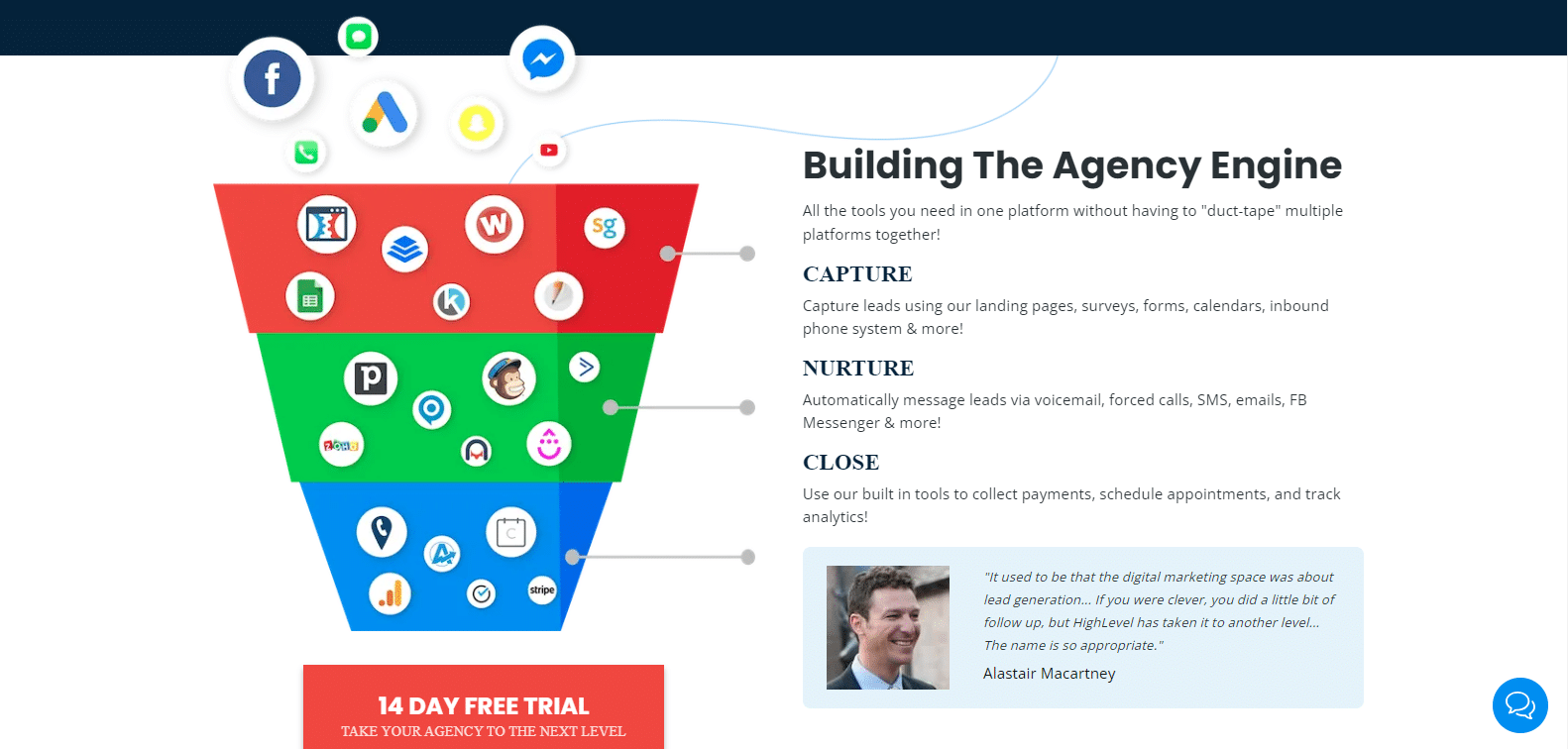
Both Keap and HighLevel offer robust feature sets, but the choice between them depends on your specific business needs and preferences. In the following sections, we will delve into each platform’s features to provide you with a deeper understanding of their capabilities, helping you make a well-informed decision for your business.
Keap vs. HighLevel: Sales And Pipeline Management Comparison
In the realm of sales and pipeline management, both Keap and HighLevel offer essential tools to streamline your processes and boost your business’s efficiency. Let’s take a closer look at how each platform handles this critical aspect of customer relationship management.
Keap CRM: Sales And Pipeline Management
Keap simplifies sales and pipeline management with its comprehensive set of features:
- Sales Automation: Keap’s sales automation capabilities allow you to automate repetitive sales tasks, ensuring that leads are nurtured and moved through the sales funnel efficiently.
- Lead Management: With Keap’s CRM for small businesses, you can effectively organize and manage your leads. Categorize your leads and send targeted emails to specific groups.
- Customizable Sales Pipeline: Keap enables you to create a customizable sales pipeline that aligns with your business’s unique sales processes. Track leads through each stage, from initial contact to conversion.
- Integration Capabilities: Seamlessly integrate Keap with other essential business apps, enhancing your workflow and making data sharing across platforms a breeze.
- Reporting and Analytics: Access customizable reports to gain insights into your sales performance. Monitor the progress of your leads and analyze your return on investment (ROI).
HighLevel: Sales And Pipeline Management
HighLevel also provides robust tools for effective sales and pipeline management:
- Pipeline Visualization: HighLevel offers a visual and intuitive representation of your sales pipeline. Quickly identify the status of leads and opportunities.
- Task Automation: Streamline your sales processes by automating tasks and follow-up sequences. This automation ensures that leads receive timely and relevant communications.
- Workflow Management: HighLevel’s workflow management capabilities allow you to design and execute complex sales processes, ensuring that no lead falls through the cracks.
- Appointment Scheduling: Enhance customer engagement by offering online appointment scheduling. Simplify the booking process and provide a convenient experience.
- Lead Scoring: HighLevel’s lead scoring system helps you prioritize leads based on their readiness to convert, ensuring that your sales team focuses on the most promising opportunities.
In summary, both Keap and HighLevel excel in sales and pipeline management. Keap offers a comprehensive set of features with a focus on sales automation and CRM for small businesses. HighLevel, on the other hand, provides a visually intuitive pipeline view and advanced automation options. Your choice between the two will depend on your specific sales process requirements and business goals.
Keap vs. HighLevel: Analyzing Pricing Plans And Features
Exploring the pricing landscape of CRM software is a pivotal step in making an informed choice for your business. In this comparative analysis, we will navigate through the pricing plans offered by Keap and HighLevel, dissecting the features bundled with each tier to assist you in finding the most suitable solution for your needs in 2024.
Keap Pricing Plans:
Keap extends two distinct Keap pricing tiers, each designed to cater to different business requirements.
Pro ($159/month or $1908/year): This entry-level plan equips users with essential features, including the capacity to manage 1500 contacts and accommodate two users. The Pro plan encompasses core functionalities such as email marketing, sales and marketing automation, CRM capabilities, appointment scheduling, and sales pipeline management. Notably, it also includes invoicing, online sales tools, and text marketing, making it an excellent choice for businesses aiming to streamline their operations and customer engagement.
Max ($229/month or $2748/year): Building upon the Pro plan, Max offers an elevated CRM experience. With the capacity to manage 2500 contacts and support up to three users, Max introduces advanced features like lead scoring, lead source attribution, multi-page landing pages, upselling capabilities, promo code management, and extensive reporting functionalities. This plan is tailored for businesses seeking deeper insights and more extensive automation capabilities.

HighLevel Pricing Plans:
HighLevel presents two distinct pricing options, catering to businesses of varying scales and needs.
Starter ($97/month): The Starter plan encompasses a comprehensive toolkit for businesses, offering essential features for lead capture, nurturing, and conversion. It includes online booking, pipeline management, a social calendar, website building capabilities, and importantly, supports unlimited contacts and users. With the added flexibility of setting up to three sub-accounts, the Starter plan is ideal for businesses managing multiple team members and clients.
Unlimited ($297/month): The Unlimited plan takes business capabilities a step further. It builds upon the Starter plan by introducing API access, facilitating seamless integration with external applications. Moreover, it offers unlimited sub-accounts, making it an excellent choice for agencies handling multiple client accounts. The Unlimited plan also empowers users to create a branded desktop app with custom domains, offering complete control over the platform’s appearance and branding.

In summary, both Keap and HighLevel present a range of pricing plans, each accompanied by a distinct set of features tailored to diverse business needs. Your selection between the two will hinge on your specific requirements, budget considerations, and the level of customization and automation essential for your business operations. Keep in mind that pricing details are subject to change, so it is advisable to refer to the respective websites for the most up-to-date information.
Keap vs. HighLevel: Scalability For Business Growth
Scalability is a paramount consideration when selecting CRM software to support your business growth. Let’s delve into how both Keap and HighLevel address the crucial aspect of scalability:
Scalability With Keap:
Keap offers a structured approach to scalability, aligning with the growth trajectory of businesses. Their pricing plans, including Pro and Max, are designed to cater to businesses of varying sizes and requirements. Starting with the Pro plan, which accommodates 1500 contacts and two users, businesses can initiate their CRM journey. As a company expands, the Max plan provides room for growth, accommodating 2500 contacts and three users. This tiered approach allows businesses to seamlessly transition to a more comprehensive CRM solution, ensuring that the CRM system grows in tandem with their needs.
Moreover, Keap’s automation capabilities play a pivotal role in scalability. As businesses expand their operations, the ability to automate repetitive tasks and manage a growing customer base becomes increasingly crucial. Keap’s automation features empower businesses to handle more leads, streamline processes, and maintain efficient customer engagement, all contributing to scalability.
Scalability With HighLevel:
HighLevel adopts a flexible and scalable approach to accommodate the evolving needs of businesses. The Starter plan, an entry-level option, offers a robust set of tools for lead capture and conversion. With features like online booking, pipeline management, and unlimited contacts and users, businesses can start their CRM journey and readily onboard new team members as they grow.
HighLevel’s Unlimited plan takes scalability a step further by providing API access for seamless integration with other software applications. This facilitates the expansion of the CRM system’s capabilities as businesses diversify their operations or require specialized functionalities. Additionally, the plan supports unlimited sub-accounts, making it an excellent choice for agencies managing multiple client accounts under one platform. The ability to create a branded desktop app with custom domains further enhances scalability, offering businesses complete control over their CRM environment’s look and feel.
In conclusion, both Keap and HighLevel offer scalability options to cater to the growth requirements of businesses. Keap’s tiered pricing plans and automation features provide a structured growth path, while HighLevel’s flexible plans, API access, and unlimited sub-accounts offer adaptability for businesses aiming to scale their CRM operations effectively. The choice between the two depends on your specific growth trajectory and scalability needs.
Keap vs. HighLevel: Ensuring Security And Data Privacy
When evaluating CRM software, security and data privacy are paramount considerations to safeguard your sensitive business information. Here’s a comparison of the security measures in place with both Keap and HighLevel:
Security Measures With Keap:
Keap places a strong emphasis on security to protect its users’ data. Some key security measures implemented by Keap include:
- Data Encryption: Keap uses encryption protocols to secure data in transit and at rest. This ensures that your information is protected both while it’s being transmitted and when it’s stored on their servers.
- Access Controls: Keap allows administrators to control user access with role-based permissions. This means you can restrict access to certain features and data, ensuring that only authorized personnel can view and modify critical information.
- Regular Backups: Keap performs regular data backups to prevent data loss in case of unforeseen events. This ensures that your data is safe and can be recovered in case of accidental deletion or system failures.
- Data Centers: Keap utilizes reputable data centers with robust physical security measures, such as biometric authentication and surveillance, to protect their servers and your data.
- Compliance: Keap complies with data protection regulations, including GDPR, to ensure that user data is handled by legal requirements.
Security Measures With HighLevel:
HighLevel also prioritizes the security of user data and employs several security measures, including:
- Data Encryption: HighLevel encrypts data in transit and at rest to protect it from unauthorized access. This encryption ensures that your data remains confidential and secure.
- Access Controls: HighLevel offers role-based access control, allowing administrators to define who can access specific features and data within the system. This feature ensures that data is only accessible to authorized personnel.
- Regular Backups: HighLevel maintains data backups to prevent data loss and facilitate recovery in case of emergencies, ensuring the continuity of your operations.
- Data Centers: HighLevel relies on secure data centers with strict access controls and surveillance to safeguard its servers and user data.
- Compliance: HighLevel adheres to data protection regulations and maintains compliance with industry standards to protect user data and ensure privacy.
In summary, both Keap and HighLevel take data security and privacy seriously, implementing encryption, access controls, regular backups, and compliance measures to protect user information. When choosing between the two, consider your specific security requirements and compliance needs to make an informed decision that aligns with your business’s data protection goals.
Keap vs. HighLevel: Real User Insights And Ratings
When choosing a CRM or marketing automation platform, real user insights and ratings can provide valuable guidance. Here’s a brief overview of the ratings and feedback for both Keap and HighLevel, as reported on popular review platforms like G2, Capterra, and TrustRadius.
Keap Ratings:
Keap has garnered positive reviews across various platforms. On G2, it boasts a rating of 4.2 out of 5, highlighting users’ overall satisfaction with the platform. Capterra users have rated Keap at 4.1, indicating a high degree of user approval. Additionally, TrustRadius users have given Keap a solid rating of 8.2/10, showcasing the platform’s positive impact on businesses.

HighLevel Ratings:
HighLevel has also received commendable ratings and feedback from users. On G2, it holds a rating of 4.4 out of 5, signifying a high level of user satisfaction. Capterra users have rated HighLevel at 4.3, reflecting positive experiences with the platform. TrustRadius users have granted HighLevel an impressive rating of 8.7/10, indicating that it meets or exceeds their expectations.
These ratings on G2, Capterra, and TrustRadius provide valuable insights into the real-world experiences of users with both Keap and HighLevel. They can be instrumental in helping you make an informed decision based on user feedback and satisfaction.
Keap vs. HighLevel: Tailoring Solutions To Your Industry
Every industry has its unique needs, and choosing the right CRM and automation platform means finding one that aligns with your industry-specific requirements. Keap and HighLevel offer features tailored to various sectors, from accounting and fitness to marketing agencies and real estate. Let’s dive into how these platforms cater to specific industries.
Industry-Specific Features In Keap:
Keap offers industry-specific features that cater to a diverse range of businesses. It excels in serving accounting firms, coaches, financial advisors, gyms, fitness centers, consultants, insurance agencies, and more. Keap’s versatility extends to meeting the unique needs of these industries, providing tailored solutions to enhance their customer relationship management, automation, and marketing efforts. Users in these sectors can benefit from Keap’s industry-specific features to streamline their operations effectively.

Industry-Specific Features In HighLevel:
HighLevel focuses on delivering industry-specific features that align with the needs of marketing agencies, real estate professionals, restaurants, clinics, and more. While it may have a narrower range of industries compared to Keap, it concentrates on providing specialized tools and solutions tailored to these sectors. This industry-focused approach enables HighLevel users to access features and capabilities designed to address the specific challenges and requirements of their respective fields, enhancing their overall business performance.
Keap vs. HighLevel: Onboarding And Training For New Users
Efficient onboarding and training processes are crucial when adopting CRM software to ensure your team can use the platform effectively. Let’s compare the onboarding and training experiences with Keap and HighLevel:
Onboarding And Training With Keap:
Keap offers various resources and support to help new users get started:
- Getting Started Guides: Keap provides comprehensive getting started guides and documentation to assist users in setting up their accounts and understanding core features.
- Video Tutorials: The platform offers a library of video tutorials covering various topics, from basic account setup to advanced automation techniques.
- Live Webinars: Keap conducts live webinars regularly, allowing users to participate in interactive training sessions and get answers to their questions in real-time.
- Dedicated Support: Keap offers customer support through various channels, including email and chat. Users can reach out to Keap’s support team for assistance with technical issues or questions.
- Community Forum: Keap has an active user community where members can exchange ideas, tips, and solutions. It’s a valuable resource for learning from other users’ experiences.
Onboarding And Training With HighLevel:
- HighLevel focuses on providing comprehensive onboarding and training resources to empower users:
- Onboarding Assistance: HighLevel offers onboarding assistance to new users. This includes help with initial setup and configuration to ensure a smooth start.
- Knowledge Base: HighLevel maintains a knowledge base with articles and guides that cover various aspects of the platform, helping users understand its functionalities.
- Video Library: HighLevel provides a library of video tutorials that guide users through different features and processes, making it easier to grasp the platform’s capabilities.
- Live Training Sessions: HighLevel conducts live training sessions, including webinars and workshops, where users can interact with trainers and gain practical insights.
- Customer Support: HighLevel offers customer support through multiple channels, including email and chat. Users can reach out for assistance with technical issues or general inquiries.
- Facebook Community: HighLevel has an active Facebook community where users can connect, share experiences, and seek advice from fellow users.

In conclusion, both Keap and HighLevel offer robust onboarding and training resources, including guides, videos, webinars, and support channels. Your choice may depend on your preferred learning style and the level of hands-on assistance you require during the onboarding process.
Keap vs. HighLevel: Real-World Business Impact Through Success Stories
Real-world success stories offer valuable insights into the practical impact of CRM and automation platforms. In the case of Keap and HighLevel, these stories shed light on how businesses across different sectors have leveraged these tools to achieve growth, streamline operations, and enhance customer engagement. Let’s explore some inspiring success stories that illustrate the tangible benefits of both platforms.
Keap Business Success Stories:
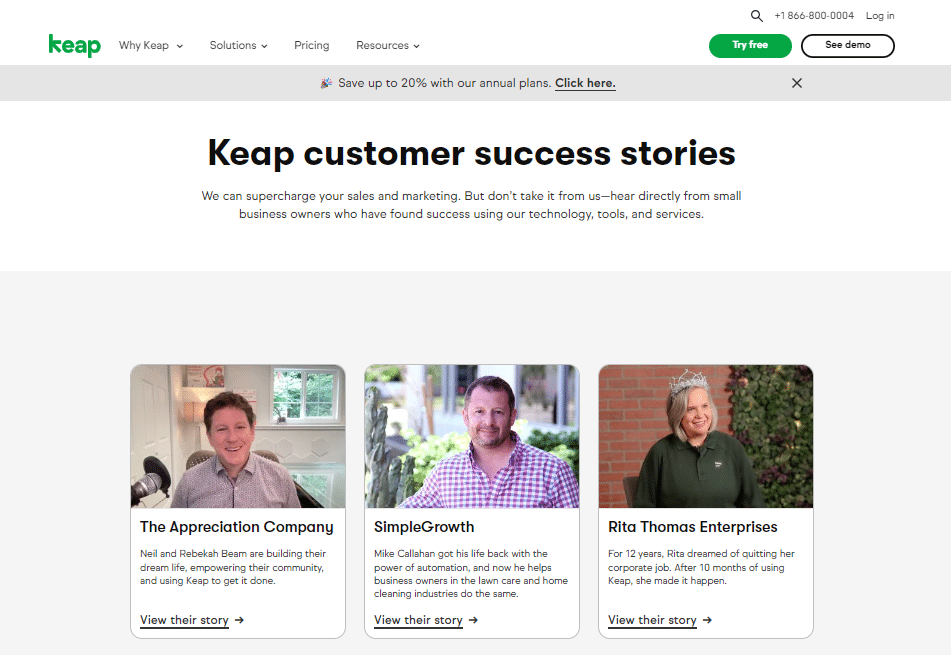
Keap has empowered numerous businesses across various industries to achieve remarkable success. These success stories showcase how Keap’s CRM and automation solutions have had a tangible impact on businesses’ growth, efficiency, and customer engagement. From small enterprises to large organizations, Keap’s user base has witnessed significant improvements in lead generation, marketing, and sales processes. These stories highlight real-world examples of how Keap’s tools and features have transformed businesses, making them more competitive and successful in their respective markets.
HighLevel Business Success Stories:
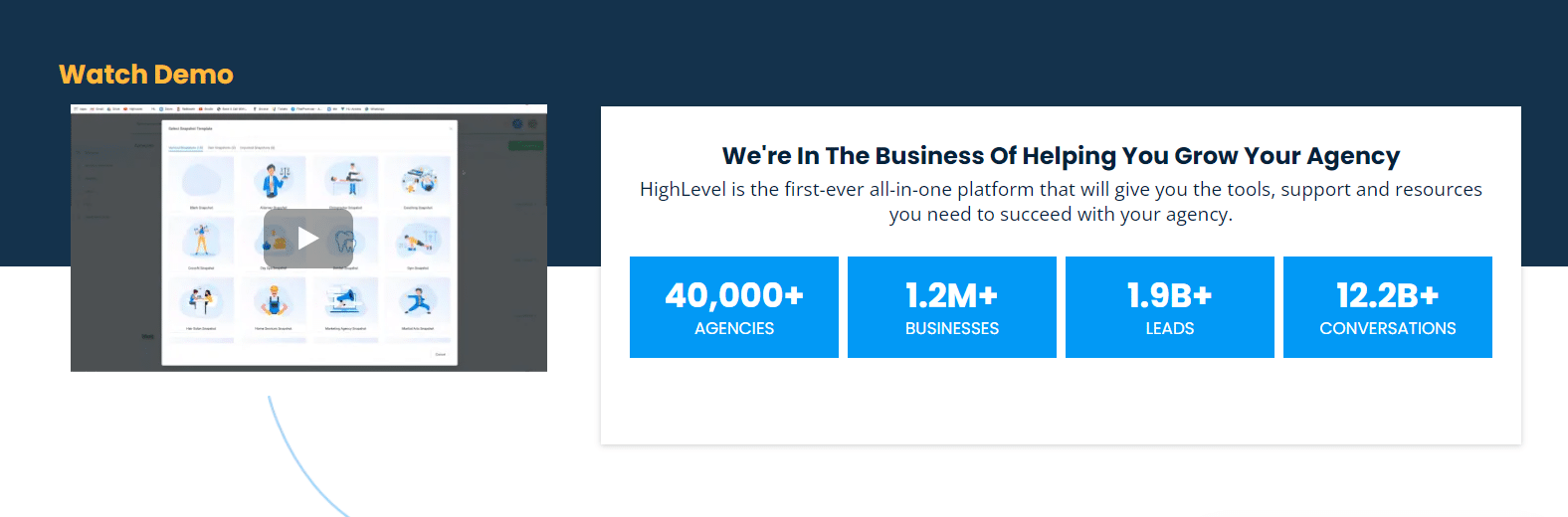
HighLevel has also played a pivotal role in driving success for businesses, particularly in industries like marketing agencies, real estate, and more. The platform’s industry-specific features have enabled companies to achieve their goals, streamline their operations, and enhance customer interactions. HighLevel’s success stories shed light on how businesses have leveraged its capabilities to boost revenue, improve customer satisfaction, and expand their reach. These real-world examples provide valuable insights into the impact HighLevel can have on businesses looking to thrive in their chosen industries.
Keap vs. HighLevel: Understanding Constraints And Limitations
Every CRM platform has its constraints and limitations that users should be aware of. Let’s examine the limitations of both Keap and HighLevel:
Limitations Of Keap:
- Limited Third-Party Integrations: Keap’s ecosystem may not offer as many third-party integrations compared to some other CRM platforms. This could limit your ability to connect with specific tools or services your business relies on.
- Pricing May Not Suit All Budgets: While Keap offers various pricing plans, some businesses, particularly smaller ones, may find the cost prohibitive as it can increase with the growth of your contact list.
- Customization Challenges: Users looking for extensive customization options might find Keap’s capabilities somewhat challenging to navigate, especially when compared to more flexible CRM platforms.
- Mobile App Limitations: The mobile app for Keap may lack some advanced features available on the desktop version, which could affect users who rely heavily on mobile functionality.
Limitations Of HighLevel:
- Limited Third-Party Integrations: HighLevel may have limitations when it comes to integrating with certain third-party software or services, which could be a drawback for businesses with specific software needs.
- Pricing May Not Suit All Budgets: While HighLevel offers different pricing tiers, the cost may not align with the budgets of all businesses, especially smaller ones.
- Learning Curve: Some users might encounter a learning curve when trying to leverage the platform’s more advanced features effectively, which could impact their initial experience.
- Mobile App Features: Similar to Keap, the mobile app for HighLevel may not offer all the advanced features available on the desktop version, potentially limiting functionality for on-the-go users.
Understanding these limitations is essential when considering whether Keap or HighLevel is the right CRM solution for your business. It’s crucial to weigh these constraints against the specific needs and priorities of your organization to make an informed choice.
Keap vs. HighLevel: Tailoring Solutions To Your Needs With Customization
Customization and development play a significant role in adapting CRM platforms to meet your specific business needs. Let’s explore how Keap and HighLevel address customization and development:
Customization And Development With Keap:
- User-Friendly Interface: Keap offers a user-friendly interface that allows users to make basic customizations, such as personalizing dashboards and widgets, without the need for extensive technical expertise.
- Automation Rules: Keap provides automation tools that enable users to create customized workflows and processes to automate various tasks, from lead nurturing to sales follow-ups.
- Web Forms and Landing Pages: Users can create and customize web forms and landing pages within Keap, tailoring them to capture specific data and information from leads and customers.
- Email Templates: Keap offers customizable email templates that businesses can use to create personalized email marketing campaigns aligned with their brand.
- Integration Options: While Keap may have limitations in third-party integrations, it does offer the ability to integrate with select business apps, providing some degree of customization flexibility.
Customization And Development With HighLevel:
- Drag-and-Drop Interface: HighLevel features a user-friendly drag-and-drop interface, making it accessible for users to create custom websites, funnels, landing pages, surveys, and forms without extensive development skills.
- Advanced Automation: HighLevel provides automation capabilities for building custom workflows, nurturing leads, and managing customer interactions efficiently.
- Multi-Channel Campaigns: Users can create and customize multi-channel marketing campaigns within HighLevel, tailoring their outreach strategies to specific audiences and goals.
- Messaging Customization: HighLevel allows for the customization of messaging to align with a business’s brand identity and customer preferences, enhancing the overall user experience.
- API Access: For more advanced customization and integration needs, HighLevel offers API access, allowing businesses to connect and develop custom solutions with other software applications.
Both Keap and HighLevel offer customization options to varying degrees, making it possible to tailor the CRM platforms to your unique requirements. Your choice between the two will depend on the level of customization and development capabilities your business demands and your comfort with using these features.
Keap vs. HighLevel: Expanding Functionality With Third-Party Integrations
Unlocking the full potential of CRM and automation platforms often involves seamless integration with other essential business tools. Keap and HighLevel understand this need and offer a range of third-party integrations to expand functionality and streamline workflows. Let’s delve into the world of integrations for these platforms and see how they enhance their capabilities.
Keap Integrations:
Keap offers a selection of integrations that can expand its functionality and allow for seamless connections with other software applications. Some notable integrations include Zapier, which provides a bridge to connect Keap with thousands of other apps, Gmail for streamlined email communication, Outlook for email management, Adespresso for advanced advertising campaigns, Customerhub for membership site management, and Appointment Core for scheduling and appointments. Keap’s integration options, while not as extensive as some other CRM platforms, cover key areas to enhance your workflow and productivity.

HighLevel Integrations:
HighLevel, on the other hand, also offers valuable integrations that can boost its functionality and versatility. These include Zapier, which facilitates integration with numerous third-party applications, Facebook for social media marketing and lead generation, Stripe for secure payment processing, Quickbooks for accounting and financial management, and Shopify for e-commerce solutions. HighLevel’s integrations cater to various business needs, enabling users to create a more integrated and efficient tech stack.

When choosing between Keap and HighLevel, consider your specific integration requirements and how these align with the available options on each platform. Both CRMs offer integration capabilities, but the choice may ultimately depend on the particular tools and services your business relies on for day-to-day operations.
Keap vs. HighLevel: Seamless Transition With Data Migration
Data Migration when transitioning to a new CRM or automation platform can be a crucial aspect of the process. Both Keap and HighLevel recognize the importance of a seamless transition and offer data migration solutions to ensure that your valuable information is transferred accurately. Let’s explore how these platforms facilitate a smooth shift between systems.
Keap Data Migration:
Keap provides data migration solutions to assist users in smoothly transitioning from their existing systems to Keap’s platform. With the help of Keap’s tools and support, you can import your valuable data, including contacts, leads, customer information, and more, into the CRM. Keap offers guidance and resources to ensure that your data migration process is efficient and that you can continue your business operations without disruptions.
HighLevel Data Migration:
Similarly, HighLevel offers data migration services to facilitate a seamless transition to its platform. Whether you are switching from another CRM or software solution, HighLevel’s migration tools and support are designed to help you import your data accurately and efficiently. This ensures that your critical information, such as customer records and lead data, is readily available within HighLevel, allowing you to continue your business activities without hassle.
When evaluating Keap and HighLevel for your CRM needs, consider their respective data migration capabilities, including the ease of transferring your existing data and the level of support provided during the migration process. A smooth data migration can significantly impact your transition to a new CRM platform.
Keap vs. HighLevel: Staying Productive On The Go With Mobile Apps
In today’s fast-paced business environment, staying productive on the go is essential. Both Keap and HighLevel understand the importance of mobile accessibility, and they offer mobile apps to help you manage your business tasks efficiently from anywhere. Let’s take a closer look at the mobile app offerings from these platforms.
Keap Mobile App:
Keap offers a mobile app that allows users to stay productive while on the go. With the Keap mobile app, you can access essential CRM features and functionalities from your smartphone or tablet. This includes managing contacts, sending emails, tracking leads, scheduling appointments, and more. The mobile app is designed to provide a seamless experience, ensuring that you can keep up with your business tasks and customer interactions even when you’re not at your desk.
HighLevel Mobile App:
HighLevel also provides a mobile app that enables users to remain productive outside of the office. The HighLevel mobile app extends key features of the platform to your mobile device, allowing you to manage leads, engage with customers, schedule appointments, and access essential CRM tools while on the move. The mobile app is designed for efficiency and convenience, ensuring that you can stay connected with your business operations at any time.
When considering whether Keap or HighLevel is the right CRM choice for your needs, evaluating the capabilities and user-friendliness of their respective mobile apps is crucial. A well-designed mobile app can enhance your ability to manage and grow your business, even when you’re away from your computer.
Keap vs. HighLevel: Conclusion
In conclusion, the choice between Keap and HighLevel ultimately comes down to your specific business needs and priorities. Both platforms offer a robust set of CRM and marketing automation features, making them valuable assets for businesses looking to streamline operations, boost sales, and enhance customer relationships.
Keap stands out with its focus on small businesses, offering a user-friendly interface, essential automation tools, and a dedicated mobile app. It’s an excellent choice for those seeking an all-in-one solution to manage leads Management, automate marketing, and handle sales efficiently.
On the other hand, HighLevel excels in providing comprehensive marketing automation capabilities, customizable features, and seamless integrations. It’s a powerful choice for agencies and businesses looking to scale their marketing efforts and tailor their CRM system to unique requirements.
Ultimately, your decision should be guided by factors such as the size of your business, your budget, the level of customization you require, and your specific goals. Consider your priorities carefully, and you’ll be better equipped to choose the CRM platform that aligns perfectly with your business objectives in 2024 and beyond.
Keap vs. HighLevel: FAQs
Can I scale my business with Keap and HighLevel?
Yes, both Keap and HighLevel offer scalability options to accommodate business growth. Keap’s pricing tiers allow you to upgrade as your needs expand, and HighLevel’s plans offer flexibility for growing your operations.
Do Keap and HighLevel offer mobile apps for on-the-go management?
Yes, both Keap and HighLevel provide mobile apps, allowing users to manage their CRM and marketing efforts while on the move. These apps are designed to help users stay productive and responsive.
What integrations are available for Keap and HighLevel?
Keap offers integrations with various platforms like Zapier, Gmail, and Outlook, while HighLevel integrates with services like Zapier, Facebook, Stripe, and Shopify. These integrations enhance functionality and workflow efficiency.
How do Keap and HighLevel ensure data security and privacy?
Both Keap and HighLevel implement security measures to protect user data. They follow industry-standard practices to maintain data privacy, including encryption and compliance with relevant regulations.
Can I customize and tailor Keap and HighLevel to my specific business needs?
Yes, both Keap and HighLevel offer customization options, allowing you to adapt the platforms to your unique requirements. You can personalize workflows, forms, and reports to align with your business goals.


